



Decoding BIM: A Beginner’s Guide to the BIM Tech Stack for Manufacturers
We strip BIM back to basics and show, in simple terms, what the BIM tech stack actually looks like, what each part does, and where manufacturers have real influence (and where they don’t).
If you’re a building product manufacturer, chances are you’ve heard terms like BIM, Revit, content libraries, and tech stacks – often in the same breath, but rarely explained with clarity.
It can feel like everyone else understands the rules, while you’re left wondering:
-
Do I need BIM software?
-
Do I need Revit? Archicad? Rhino?
-
Where does my product actually fit into all of this?
This article is here to strip BIM back to basics and show, in simple terms, what a BIM tech stack actually looks like, what each part does, and where manufacturers have real influence (and where they don’t).
What “BIM” actually means (and what it doesn’t)
BIM is often misunderstood as a piece of software. It isn’t.
BIM (Building Information Modelling) is a process; a way designers create, coordinate, and manage digital building information across a whole project lifecycle.
To do that, they use multiple tools, each with a different job.
That collection of tools is what people mean when they talk about a “BIM tech stack.”
What is a BIM authoring tool?
When people talk about “BIM authoring tools,” they’re referring to the software designers use to create / design and edit digital building models.
Some of the most common BIM authoring manufacturers may recognise include:
Revit – developed by Autodesk, Revit is globally the most widely used BIM authoring tool in architectural practice.
Designers use Revit to:
- Model buildings in 3D
- Apply data to elements (materials, classifications, performance information, identification data)
- Generate drawings, schedules, and quantities from the model
For manufacturers, Revit is important because: it’s where most documentation and specification decisions manifest, and It’s the environment your BIM content is most likely to be used in.
Archicad – developed by Graphisoft and is used by some architectural practices, particularly in Europe, and parts of Australia and New Zealand, especially in the residential project market.
Like Revit, Archicad is used for:
- Building modelling
- Documentation
- Coordination
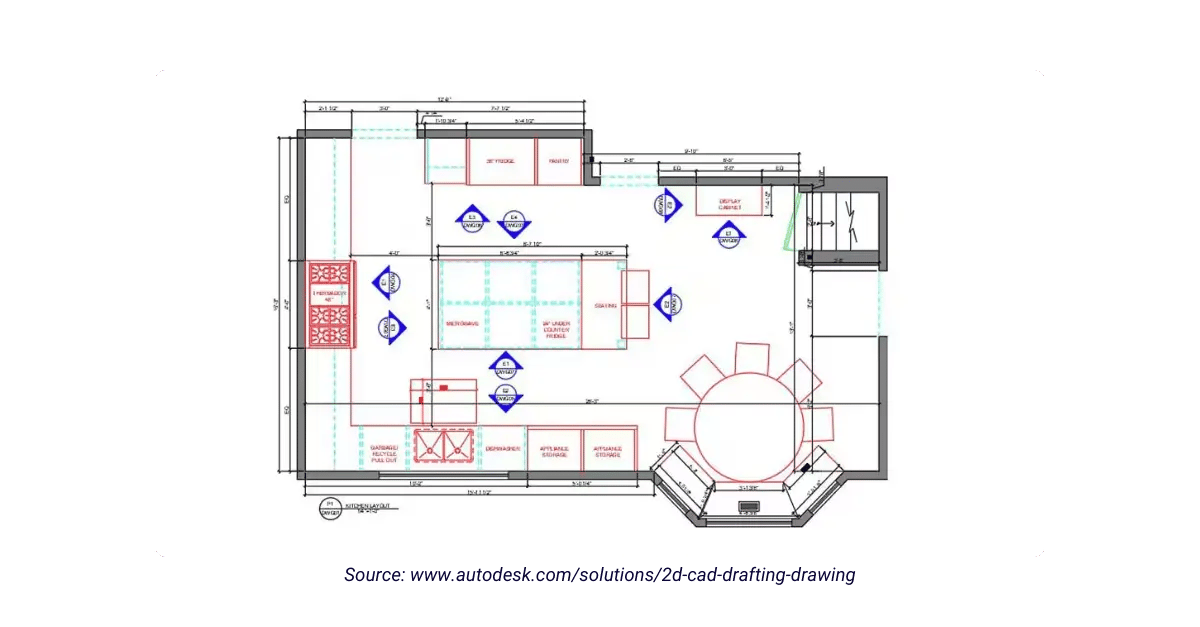
Rhino – developed by McNeel, and widely used for design exploration and complex geometry.
Designers often use Rhino to:
- Explore form and shape
- Iterate quickly in early design stages
- Model geometry that’s harder to achieve in Revit
Rhino is often paired with Grasshopper (a visual scripting tool) for advanced geometry and automation.
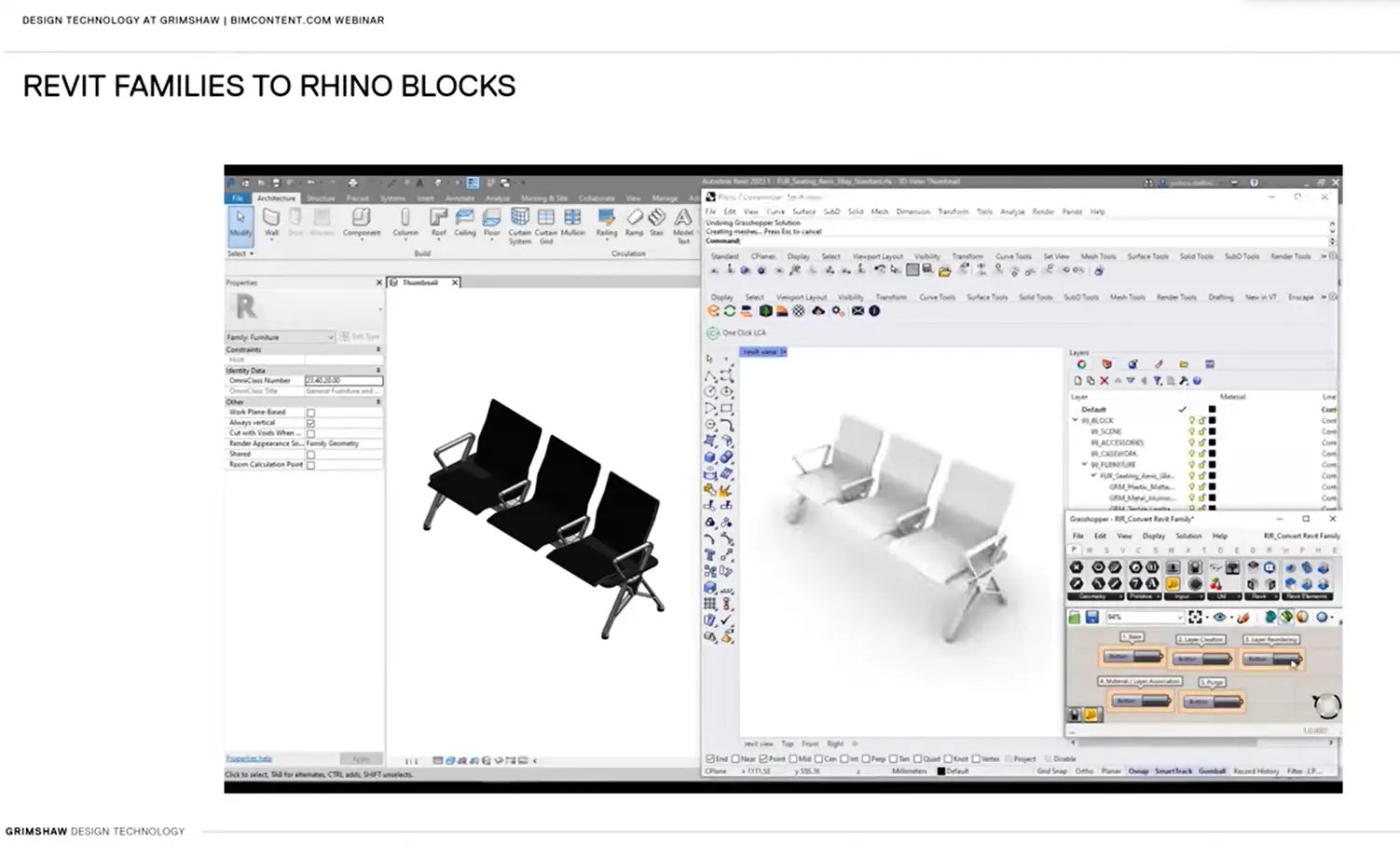
-> Important for manufacturers – authoring tools are project design and delivery tools. Most manufacturers do not need to own, learn or purchase a licence.
BIM content vs CAD models
This is one of the most common points of confusion for manufacturers, and one of the most important to clarify.
A BIM object is not the same thing as a CAD or fabrication model manufacturers are likely to be familiar with.
In practice:
-
A CAD model is often highly detailed and built for purposes like fabrication, performance analysis, assembly simulation, or photo-realistic visualisation.
-
BIM content is a more simplified digital representation with various kinds of embedded data, designed for use inside a building model.
The goal of BIM content is not visual realism. The goal is performance, predictability, and usable data.
Well-built BIM content:
- Contains only the geometry required for accurate coordination and symbolic visualisation
- Carries structured data designers can schedule, tag and analyse
- Avoids unnecessary detail that slows models down
This is why many practices actively avoid manufacturer content built directly from fabrication models, and why simplified, standardised BIM content is preferred.
For further information, read our article ‘Are AutoCAD and BIM the same thing?’ here.
The Real-World BIM Tech Stack (What Designers Actually Use)
When Grimshaw shared their internal BIM diagram during our latest webinar, it highlighted something critical: BIM is an ecosystem, not a single tool.
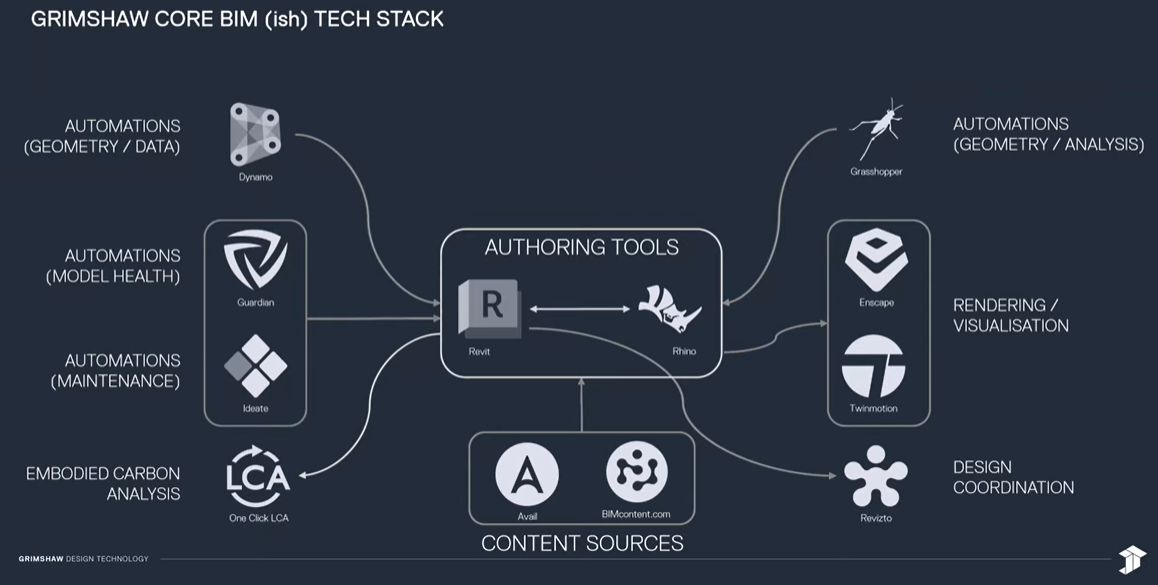
A real-world BIM tech stack typically includes:
1. Authoring tools – where project models are created and edited (e.g. Revit, Rhino)
2. Coordination & review tools – used to combine models, detect clashes, and manage collaboration across various teams and project stakeholders
3. Visualisation tools – used for rendering, presentations, and client communication
4. QA / governance tools – used to enforce standards, maintain clean models, and manage risk
5. Content sources – where designers find and insert content for building elements and products -> This is where manufacturers come in.
Why standards matter more than software
From a designer’s perspective, some of the biggest risks when developing and maintaining a project model come from inconsistent parameters (data), over-detailed content, CAD files wrapped in BIM containers, or content that behave unpredictably.
Well-structured content performs better, works with automation, schedules correctly and ensures model stability.
This is why hosting content on a platform with consistent standards (like BIMcontent.com) matters more than which software a manufacturer owns.
Why BIM matters for manufacturers (the business impact)
Supporting BIM workflows isn’t just a technical exercise; it has direct commercial consequences.
High-quality, accessible BIM content helps manufacturers:
- Makes it easier for designers to specify their products
- Helps designers to develop their project models with greater specificity and accuracy
- Reduces the likelihood of being substituted during the design process with a competitor
- The brand appears more collaborative and easier to work with
- Strengthens relationships with architects, engineers, and contractors
In contrast, content that is hard to find, hard to use, or unreliable creates friction – and friction often leads to designers not choosing your product and opting for an alternative instead.
In practice, BIM content is not just a technical asset. It’s a business development and marketing tool.
Content sources: Where designers expect to find you
Designers don’t want to visit dozens of manufacturer websites or try to guess whether content is “safe” to use.
Designers expect a centralised source, consistent standards and content that will reliably drop straight into their models without disrupting the project.
This is where BIMcontent.com sits in the tech stack.
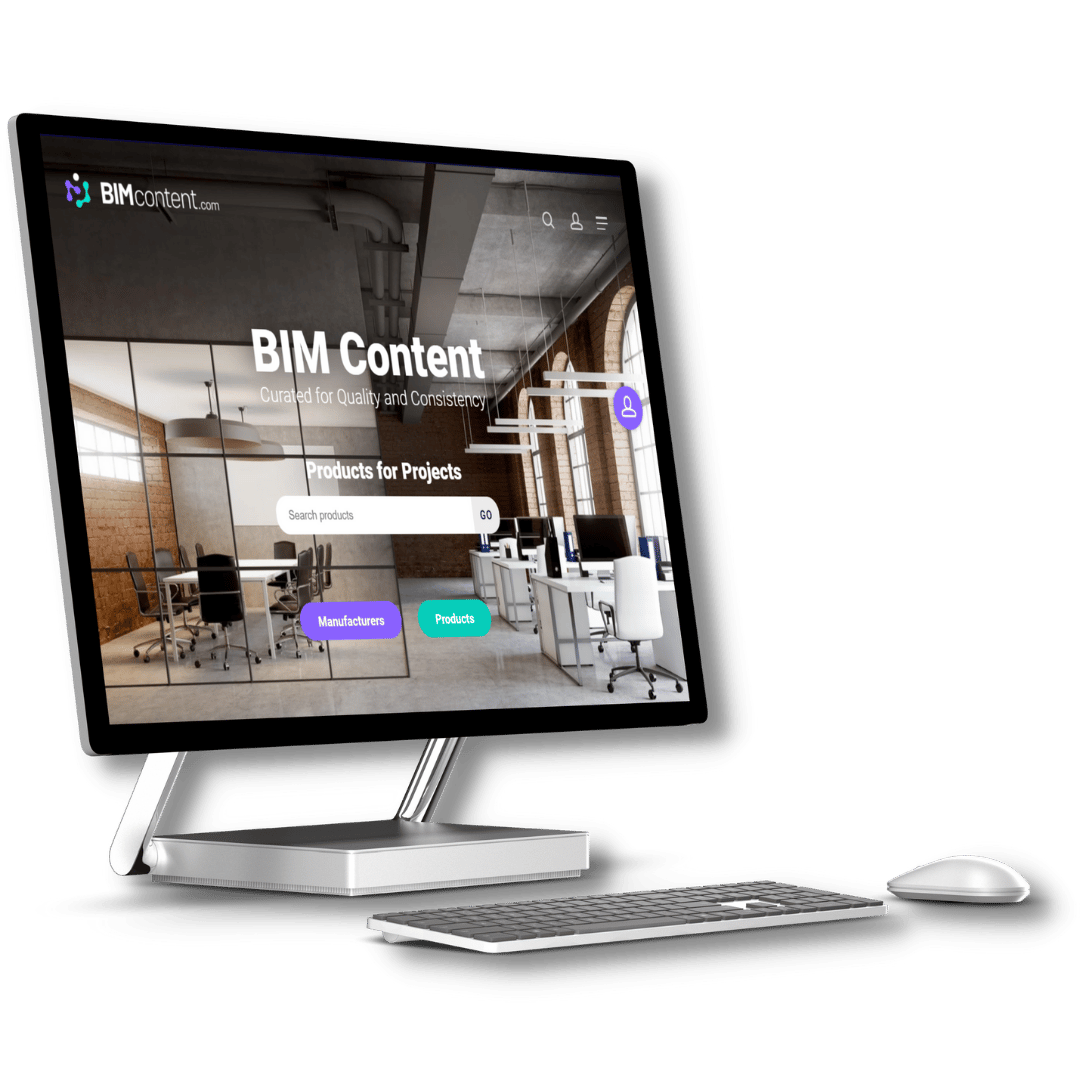
What BIMcontent.com is (and isn’t)
- It is not an authoring tool
- It is not design software
- It is a BIM content source and distribution platform
For manufacturers, this means
- You don’t need BIM software to participate
- Your products appear directly inside design workflows via the BIMcontent.com Revit Plug-In
- Your BIM content is available where designers are already looking
So what should manufacturers actually invest in?
Instead of asking: “Do we need Revit?” (the answer is almost certainly, no)
A better question is: “Is our BIM content easy, safe, and helpful for designers to find and use?”
For most manufacturers, the right investments are:
- Professionally built BIM content (by leading BIM content creation specialists, IGS Group)
- Clear alignment with industry standards
- A trusted BIM content hosting and distribution platform (like BIMcontent.com)
- A BIM partner who understands how designers actually work, and can support you beyond just developing your BIM content.
That’s the role IGS and BIMcontent.com play.
You don’t have to navigate BIM alone
BIM can feel intimidating because it’s often explained from a designer’s point of view. But for manufacturers, success doesn’t come from mastering the entire tech stack.
It comes from one thing: making your products easy to use and easy to specify inside the environments designers rely on.
If you’d like to understand how your current BIM content fits into real-world workflows, or where it may be creating friction, we’re happy to help.
... Return to the Knowledge Hub ...
Table of Contents
Sign up today for news, industry insights & content releases!
You can unsubscribe at any time by clicking the link in the footer of our emails. For information about our privacy practices, please visit our privacy policy.
FAQs
Related Posts



The building industry is rapidly evolving. Don’t get left behind!
Join the growing list of leading brands who leverage our BIM Content Creation Services
and associated Building Product Marketing Strategies to grow your business.
Contact Us
We look forward to speaking with you!
For inquiries about BIM content creation, web or product marketing solutions as well as general inquiries and support, please fill out the contact form provided, or contact us via the details below.
1300 980 763